> ## Documentation Index
> Fetch the complete documentation index at: https://cometchat-22654f5b-docs-angular-v5-docs-update.mintlify.site/llms.txt
> Use this file to discover all available pages before exploring further.
# Overview
> Add in-app chat to your Unreal Engine game using the CometChat SDK plugin.
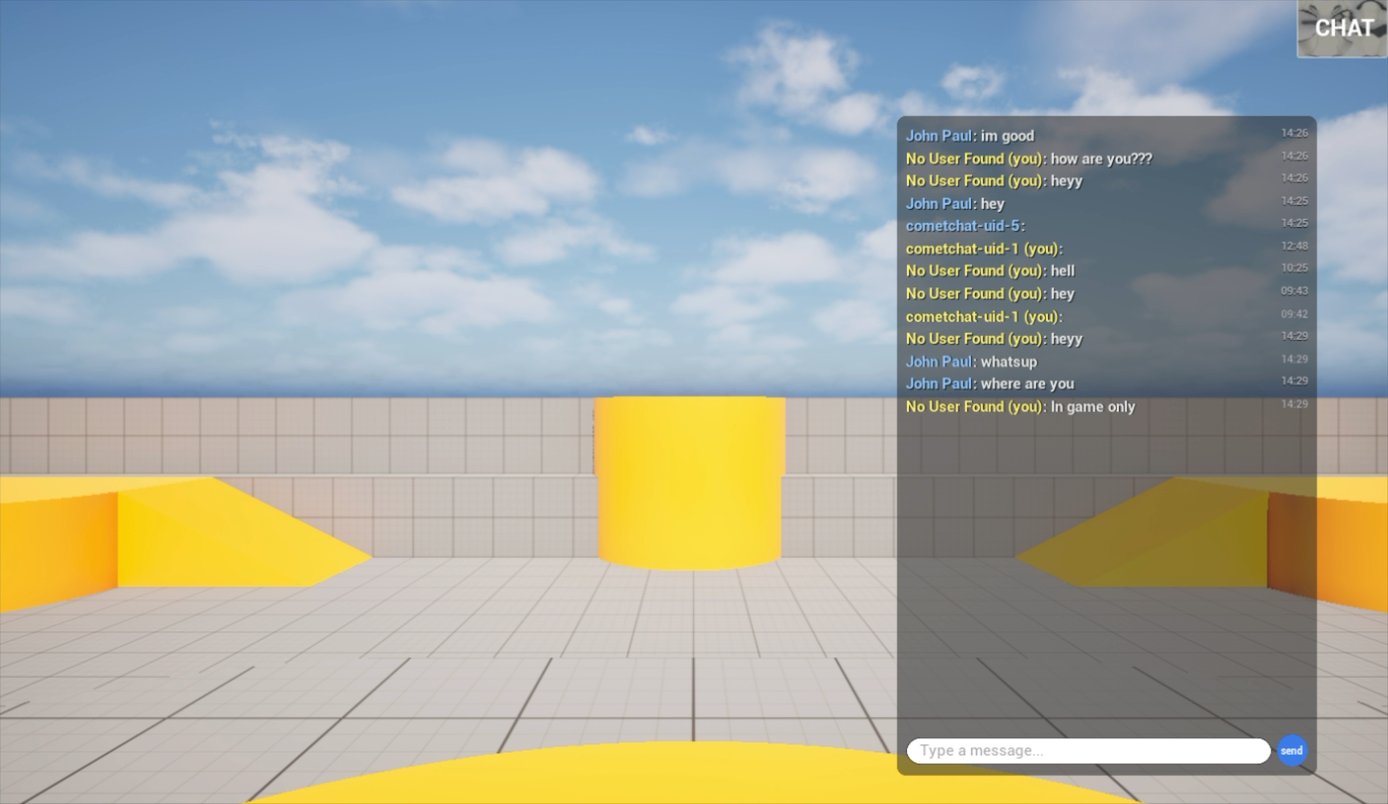 **Beta Release** — The CometChat Unreal SDK is currently in beta. APIs and features may change, and you may encounter stability issues.
This guide walks you through integrating CometChat into an Unreal Engine 5 project. The SDK ships as a native UE5 plugin with full **Blueprint** and **C++** support — so whether you're wiring up a quick prototype in the visual graph or building a production multiplayer title in code, you're covered.
Before you begin, we recommend reading the [Key Concepts](/sdk/unreal/key-concepts) page to understand the architecture.
***
## Supported Platforms
| Platform | Status |
| --------------- | ----------- |
| Windows (Win64) | ✅ Supported |
| macOS | ✅ Supported |
| iOS | ✅ Supported |
| Android | ✅ Supported |
***
## Minimum Requirements
* Unreal Engine **5.5.4** or **5.7.2**
* C++ development tools for your platform
* [CometChat account](https://app.cometchat.com) with **App ID**, **Region**, and **Auth Key**
***
## Quick Start
Get up and running in five steps:
[Sign up for CometChat](https://app.cometchat.com), create a new app, and note your **App ID**, **Auth Key**, and **Region**.
Copy the `CometChat` plugin into your project's `Plugins/` directory. See [Setup](/sdk/unreal/setup) for details.
Call **Configure** on the `CometChatSubsystem` with your App ID and Region.
Use the **Login Async** node with a user UID and Auth Key.
Use the **Send Message Async** node to send your first message.
***
## Architecture
The plugin has three layers:
```mermaid theme={null}
graph TD
A["Your Game — Blueprint / C++"] --> B["Unreal Plugin Layer
**Beta Release** — The CometChat Unreal SDK is currently in beta. APIs and features may change, and you may encounter stability issues.
This guide walks you through integrating CometChat into an Unreal Engine 5 project. The SDK ships as a native UE5 plugin with full **Blueprint** and **C++** support — so whether you're wiring up a quick prototype in the visual graph or building a production multiplayer title in code, you're covered.
Before you begin, we recommend reading the [Key Concepts](/sdk/unreal/key-concepts) page to understand the architecture.
***
## Supported Platforms
| Platform | Status |
| --------------- | ----------- |
| Windows (Win64) | ✅ Supported |
| macOS | ✅ Supported |
| iOS | ✅ Supported |
| Android | ✅ Supported |
***
## Minimum Requirements
* Unreal Engine **5.5.4** or **5.7.2**
* C++ development tools for your platform
* [CometChat account](https://app.cometchat.com) with **App ID**, **Region**, and **Auth Key**
***
## Quick Start
Get up and running in five steps:
[Sign up for CometChat](https://app.cometchat.com), create a new app, and note your **App ID**, **Auth Key**, and **Region**.
Copy the `CometChat` plugin into your project's `Plugins/` directory. See [Setup](/sdk/unreal/setup) for details.
Call **Configure** on the `CometChatSubsystem` with your App ID and Region.
Use the **Login Async** node with a user UID and Auth Key.
Use the **Send Message Async** node to send your first message.
***
## Architecture
The plugin has three layers:
```mermaid theme={null}
graph TD
A["Your Game — Blueprint / C++"] --> B["Unreal Plugin Layer
Subsystem + Async Nodes + Delegates"]
B --> C["C++ Chat SDK Core"]
C --> D["CometChat Cloud"]
style A fill:#333,stroke:#666,color:#fff
style B fill:#444,stroke:#888,color:#fff
style C fill:#333,stroke:#666,color:#fff
style D fill:#555,stroke:#999,color:#fff
```
* **UCometChatSubsystem** — A `UGameInstanceSubsystem` that owns the SDK lifecycle. Access it from any Actor or Widget.
* **Latent Async Nodes** — Blueprint-friendly async actions with **Success** and **Failure** output pins.
* **Real-Time Delegates** — Multicast delegates on the Subsystem for push events. All fire on the **Game Thread**.
***
## How It Works in Blueprints
```mermaid theme={null}
flowchart TD
A["Event BeginPlay"] --> B["Get CometChat Subsystem"]
B --> C["Configure — App Id, Region"]
C --> D["Bind Delegates
OnMessageReceived, OnPresenceChanged"]
D --> E["Login Async"]
E -->|"On Success"| F["Ready"]
E -->|"On Failure"| G["Handle Error"]
F --> H["Send Message Async"]
F --> I["Get Messages Async"]
F --> J["Create / Join / Leave Group"]
H -->|"On Success"| K["Update Chat UI"]
I -->|"On Success"| K
L["CometChat Cloud"] -.->|"WebSocket"| M["OnMessageReceived fires"]
M --> K
style A fill:#333,stroke:#666,color:#fff
style B fill:#333,stroke:#666,color:#fff
style C fill:#333,stroke:#666,color:#fff
style D fill:#333,stroke:#666,color:#fff
style E fill:#444,stroke:#888,color:#fff
style F fill:#333,stroke:#666,color:#fff
style G fill:#555,stroke:#999,color:#ccc
style H fill:#444,stroke:#888,color:#fff
style I fill:#444,stroke:#888,color:#fff
style J fill:#444,stroke:#888,color:#fff
style K fill:#333,stroke:#666,color:#fff
style L fill:#555,stroke:#999,color:#ccc
style M fill:#333,stroke:#666,color:#fff
```
1. **Get the Subsystem** — `Get Game Instance` → `Get Subsystem` → `CometChatSubsystem`
2. **Configure** — Pass your App ID and Region once
3. **Bind Delegates** — Wire up `OnMessageReceived` and other events before Login
4. **Async Nodes** — Every operation has **On Success** and **On Failure** exec pins
5. **Real-Time Events** — Incoming messages and presence updates arrive automatically via delegates
All callbacks fire on the **Game Thread** — safe to update UI directly.
***
## What's Included
| Category | Capabilities |
| ------------------------- | ---------------------------------------------------------------------------------------------------- |
| **Authentication** | Login with Auth Key, Login with Auth Token, Logout, session check |
| **Messaging** | Send & receive text messages (1:1 and group), message history with pagination |
| **Users** | Fetch user profiles, real-time presence (online/offline) |
| **Groups** | Create, join, leave groups, group messaging, member management |
| **Conversations** | Fetch conversations list with unread counts, last message, tags |
| **Real-Time Events** | 40+ delegates: messages, typing, receipts, reactions, presence, groups, calls, connection, login, AI |
| **Moderation / Flagging** | Flag messages, get flag reasons, moderation status tracking |
| **AI Assistant** | AI assistant events, tool results, tool arguments |
| **Transient Messages** | Send ephemeral messages that aren't persisted |
| **UI Components** | Ready-to-use `CometChatPanel` (tabbed chat) and `CometChatButton` (floating toggle) |
***
## Sample Users
CometChat provides 5 pre-created users for testing:
| UID | Name |
| ----------------- | ------------- |
| `cometchat-uid-1` | Andrew Joseph |
| `cometchat-uid-2` | George Alan |
| `cometchat-uid-3` | Nancy Grace |
| `cometchat-uid-4` | Susan Marie |
| `cometchat-uid-5` | Peter Reed |
***
## Next Steps
Install the plugin and configure your project.
Understand the Subsystem, async nodes, and event model.
Log users in and manage sessions.
Send your first text message.